
FROM THE EXCEED IT BLOG
AI App Builders vs Developers: Which Should You Choose?
Published
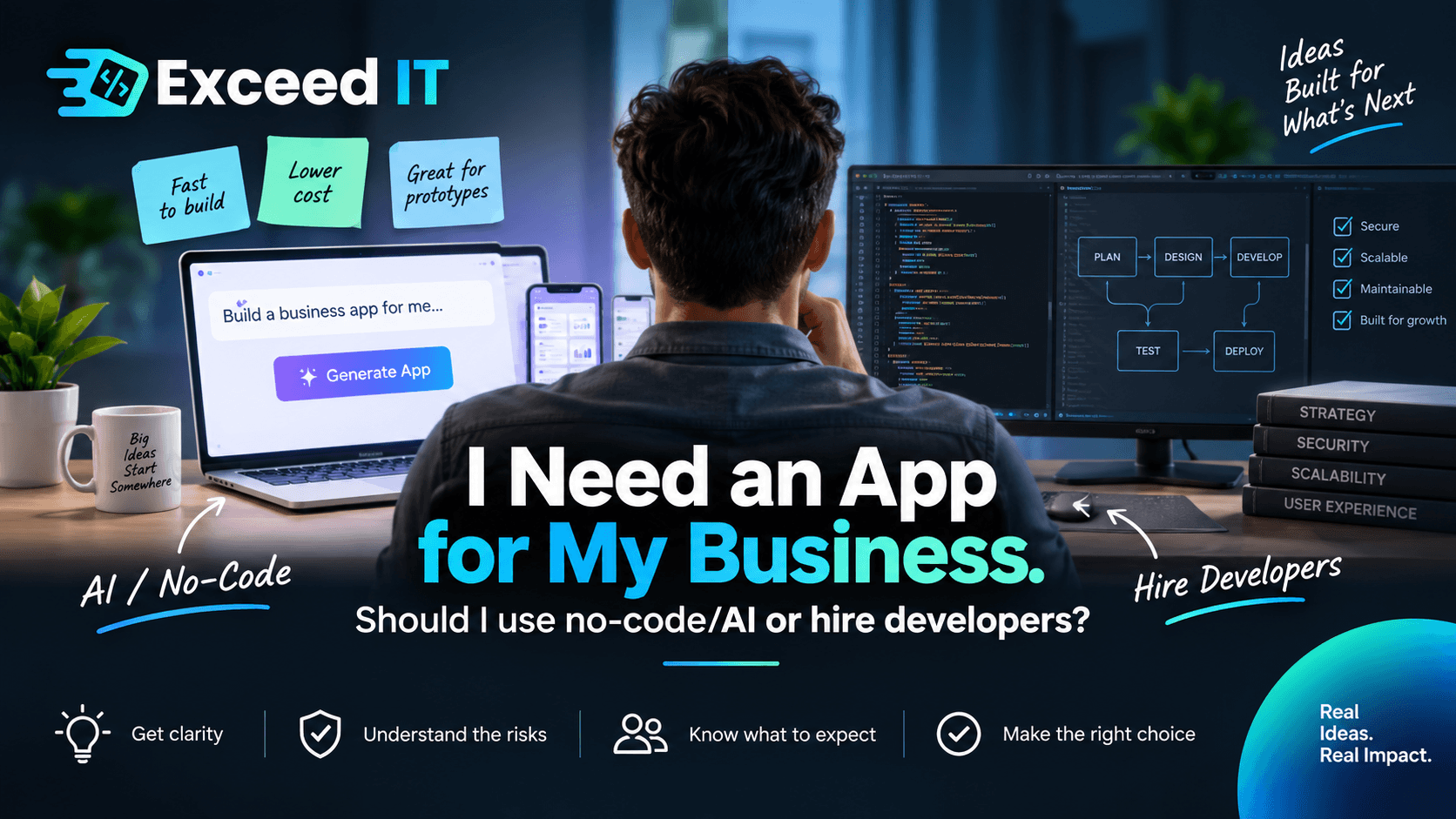
Executive summary
For a business owner, the most useful answer is not “AI is bad” or “you should always hire developers.” AI-assisted and no-code tools can be excellent for prototypes, testing ideas, simple internal tools, and straightforward workflows. Microsoft itself promotes low-code as a way for people without traditional programming experience to build business applications quickly, while also stressing that organizations still need rules around security, permissions, data use, reviews, and ongoing responsibility. 1
The more useful distinction is:
AI-generated vs engineered.
An AI-generated system can be functional, attractive, and genuinely useful.
An engineered system goes further. Someone has deliberately thought about questions such as: Who should be allowed to see what? What happens when somebody does something unexpected? Where is customer data stored? What happens when a service fails? Can the system grow? Can another developer maintain it? What happens if the platform is no longer suitable? Is the system actually easy for real people to use?
That framing is supported by several strands of current research. OWASP warns that AI-assisted development can produce functional code while omitting important security protections, particularly when the person building the application does not have enough security knowledge to recognize what is missing. 12 Wits University made a similar argument in March 2026: code that runs successfully can create a false sense that everything has been built correctly, even though security, business rules, or regulatory context may have been missed. 1
Academic findings reinforce the need for caution without supporting an anti-AI conclusion. A study of 733 AI-generated Python and JavaScript snippets found security weaknesses in 29.5% of the Python snippets and 24.2% of the JavaScript snippets examined. 1 A larger 2025 study of 7,703 files explicitly attributed to AI tools found most did not contain a detectable CWE-mapped vulnerability, while still finding meaningful language- and tool-specific security patterns. 1 A 2026 peer-reviewed study found substantial improvements in newer models' ability to find and repair vulnerabilities when explicitly asked, but still concluded that human oversight remained important. 1 The fair conclusion is therefore not “AI code is insecure”; it is “working code should not be assumed to be secure code.”
UX research points in the same direction. Nielsen Norman Group argues that AI can produce working interfaces faster than teams can properly evaluate whether those interfaces are useful, understandable, trustworthy, or aligned with real user needs. 1 NN/g's research on AI prototyping found that current tools can follow general instructions impressively but still lack much of the judgment and nuance an experienced designer applies to real-world design tradeoffs. 1
For a South African audience, POPIA makes the data question especially important. The Information Regulator states that organizations processing personal information must use reasonable technical and organizational measures to protect it and must identify foreseeable risks, maintain safeguards, and keep checking and updating those safeguards. 1 Importantly, POPIA does not simply say that all South African data must be stored in South Africa. Section 72 permits international transfers under specified conditions, so the better question is not merely “Is my data overseas?” but “Where is it, who is processing it, under what safeguards, and do we understand our obligations?” 1
I would therefore build both proposed articles around three routes, not a binary choice:
| AI / No-Code DIY | AI / No-Code + Professional Review | Professionally Engineered |
|---|---|---|
| Best when you are proving an idea, prototyping, or solving a relatively simple and low-risk problem. | Best when you have built something quickly but it is now becoming important enough that customers, employees, business data, or money will depend on it. | Best when the software is central to the business, complex, high-risk, long-term, highly integrated, or handles important/sensitive information. |
| Main benefit: speed and lower initial commitment. | Main benefit: keep the speed advantage while having experienced people check what AI may have missed. | Main benefit: architecture, security, UX, testing, maintainability and long-term decisions are intentionally considered. |
| Main question: “What is the consequence if this doesn't work properly?” | Main question: “What have we built, and what should be fixed before we rely on it?” | Main question: “What does this business need this software to become?” |
That captures the central position already developed in your earlier framework: the article should help the reader understand what each route gives them, what it does not automatically give them, and what questions to ask before committing.
For the internal-system version, I would keep the same framework but shift the examples. Internal systems can actually be one of the strongest use cases for low-code: Microsoft explicitly discusses employees using such platforms to automate business processes. But Microsoft also warns that unmanaged “citizen development” can become shadow IT and create data-leak and compliance risks, which is why permissions, review, and IT oversight matter. 1 An internal app therefore should not automatically be treated as “low risk” simply because customers cannot see it.
Research basis and editorial position
The article should feel like a knowledgeable person helping the business owner make a decision, rather than a developer defending their profession.
The strongest editorial position is:
AI has made building software easier. It has not made every question around software disappear.
That is a better argument than “AI cannot build real apps,” because the evidence does not support such a blanket claim. Modern AI coding systems can produce surprisingly capable working software, and research shows continued improvements in code generation, testing, and even security remediation. For example, a 2026 peer-reviewed study found newer models substantially improved on earlier vulnerability detection and repair results. 1 Another 2026 code-quality study found meaningful differences between models in functional correctness, structure, validation, documentation, and maintainability-related measures, which also illustrates why “AI-generated” is not itself a quality standard. 1
The issue you want to explain to non-technical readers is knowledge of the questions that need to be asked.
OWASP provides perhaps the clearest support for this idea. Its low-code/citizen-development guidance says AI-assisted coding may focus on functional and complete code while failing to include critical security features, and specifically warns that a user without enough security expertise may not realize they have introduced unsafe settings, exposed secrets, public endpoints, or unintended access to sensitive information. 1
OWASP's 2026 Secure Coding with AI guidance goes further: it says AI-generated code should have a human owner accountable for correctness, security, and maintenance, and recommends explicit review rather than treating generated output as inherently trustworthy. 1
The March 10, 2026 Wits University article gives you an excellent local source for putting this into normal language. Professor Rennie Naidoo argues that the danger is not simply AI itself, but the tendency to assume that because generated code compiles and works, it must be correct. The article discusses authentication, input validation, insecure dependencies, hardcoded credentials, business context, and regulation as examples of things that can be missed. 1
This gives you a useful recurring pattern:
Generated: “I asked for the feature and it works.”
Engineered: “What else needs to be true for us to trust this feature?”
That pattern can carry the entire article.
Security example
Generated: “My login works.”
Engineered: “Can someone get around the login? Can an ordinary employee open something meant for management? Can Customer A somehow see Customer B's records?”
OWASP specifically identifies overly broad permissions and poorly handled credentials as risks in AI-driven and low-code applications. 1
Data example
Generated: “My app saves customer details.”
Engineered: “Where are those details saved? Who can access them? Which companies process them? Can we get them back? How are they protected?”
South Africa's Information Regulator says the organization responsible for personal information must protect its integrity and confidentiality with reasonable technical and organizational measures and continually assess foreseeable risks. 1
UX example
Generated: “The dashboard looks professional.”
Engineered: “Can the person who has to use this 50 times every day complete their job quickly without getting confused?”
NN/g's August 2026 analysis says AI's ability to produce prototypes and working features quickly can cause UX evaluation to lag behind development, leaving technically functional but confusing experiences and features built because they were possible rather than because users needed them. 1 NN/g separately stresses that AI-generated assumptions about users are not a substitute for evidence from real users. 1
Ownership example
Generated: “My app is online.”
Engineered: “Can I leave this platform? Can I export my information? Who owns the code and data? What will migration cost?”
Gartner's May 2026 guidance on AI and SaaS exit terms specifically highlights IP ownership, data ownership, extraction rights, and deletion rights as issues organizations should settle contractually to reduce vendor lock-in risk. 1 Its January 2026 research likewise identifies proprietary dependencies, interoperability limits, and restricted data portability as ways vendor lock-in can compound technical debt. 1
That produces a neutral thesis:
AI/no-code can be the correct business decision. The mistake is choosing it—or custom development—without understanding what the business actually needs.
Easy-to-read article outline
For the primary article, I recommend:
H1: I Need an App for My Business: Should I Use No-Code/AI or Hire Developers?
Opening: acknowledge the obvious question.
Building an app used to mean finding developers, getting quotes, and spending months building it. Today you can describe an idea to an AI tool and have something working remarkably quickly.
So why would you still hire developers?
Sometimes, you shouldn't.
The right answer depends on what you are building, what information it will handle, how important it will become to your business, and what happens if something goes wrong.
That immediately establishes neutrality.
Then structure almost every major topic as something the reader could realistically ask Google, ChatGPT, Gemini, or another AI service:
“Can I build my business app with AI?” Answer yes. Explain prototypes, MVPs, low-risk tools, and straightforward workflows.
“When does AI/no-code make more sense than hiring developers?” Talk about speed, testing ideas, budget, and consequence of failure.
“What is the difference between AI-generated and engineered software?” Introduce your central framework.
“If my AI-built app works, why would I need a developer?” Use the login/dashboard example.
“Is an AI-generated app secure?” Answer: it can be; security still needs to be checked.
“Who owns the app I build with AI or no-code?” Answer: it depends; check the contract/platform.
“Where is my data stored?” Teach the reader to ask where, who has access, backups, third parties, and exit options.
“Is an AI-built app POPIA compliant?” Explain why there is no magic POPIA checkbox and why the business remains responsible for understanding its data.
“Can AI make an app that looks and feels professional?” Separate attractive UI from good UX.
“Can an AI/no-code app handle thousands of users?” Answer: potentially; the better question is whether capacity and growth were considered.
“What happens when I need to change the app next year?” Discuss maintenance, platform changes, APIs, developers taking over, and documentation.
“Can I build it with AI now and hire developers later?” Yes; explain how to keep that path open.
“I already built my app with AI. Should a developer review it?” Introduce the middle route.
“So which option should I choose?” Present the three-route decision table and checklist.
The internal-system article can mirror this almost exactly:
H1: I Need an Internal System for My Business: Should I Use No-Code/AI or Hire Developers?
But replace customer-facing examples with things like employee access, payroll information, quoting, stock, CRM records, leave requests, project management, customer records, document approval, reporting, Excel replacements, and system integrations. Low-code is specifically used for business-process applications, but Microsoft's own governance guidance emphasizes security policies, permissions, data controls, professional review, and organizational oversight. 1
That article can add questions such as:
“We're running our business on Excel. Should we build an internal system with AI?”
“Can I use AI to build a staff portal?”
“How do I make sure employees only see information they are allowed to see?”
“Can an AI-built system connect to our accounting software?”
“What happens when the employee who built our system leaves?”
“Is an internal AI-built system POPIA compliant?”
For SEO/AEO purposes, this structure is preferable to headings such as “Security Considerations” or “Vendor Portability” because every section states the problem in the reader's language. The technical concepts are still present; the reader simply does not have to know their names.
Full article draft
Suggested title
Suggested subtitle
*AI-generated vs engineered: a simple guide to choosing the right approach for your business.*
Building an app has changed.
Not long ago, turning an idea into working software usually meant hiring developers. Today, AI and no-code tools can help almost anyone create websites, apps, internal systems, dashboards and prototypes without writing all of the code themselves.
That is a good thing.
It means a business owner can test an idea before spending a large amount of money. An employee can automate a repetitive task. A startup founder can build a prototype that people can actually use. Microsoft describes low-code tools as a way for people with and without traditional coding experience to build applications and automate business processes more quickly. 1
So the question is no longer:
“Can AI build an app?”
In many cases, it can.
The more useful question is:
“Is AI/no-code the right way to build the app my business needs?”
And sometimes the answer will be yes.
Sometimes it will be yes, but get it checked before relying on it.
And sometimes your business will be better served by having the system professionally engineered from the beginning.
Here is how to decide.
Can I actually build my business app with AI?
Yes.
Today's AI and low-code tools can create genuinely useful software. They can be particularly valuable when you need to prove an idea, create a prototype, automate a simple process, or find out whether customers will actually use something before investing heavily in it. Microsoft's low-code guidance specifically describes these tools as enabling people without traditional programming experience to create business applications and process automations. 1
Suppose you run a service business and want to test a new booking idea.
You might build a simple prototype that lets a customer:
choose a service → choose a date → enter their details → submit a booking.
You can put that in front of real people and learn something.
Do customers understand it?
Do they want it?
What do they struggle with?
What features do they actually care about?
That can be much more valuable than spending months developing a large system before discovering that customers wanted something different.
When does AI/no-code make sense instead of hiring developers?
A useful rule is to ask:
What happens if this goes wrong?
Imagine you build a quick tool that helps five employees organize the office lunch order.
If it stops working tomorrow, that is annoying.
Now imagine your application stores 20,000 customer records, processes payments, manages employee information or controls an important part of your operation.
The consequences are very different.
AI/no-code is particularly attractive when you are learning:
“Will customers use this?”
“Does this process actually save us time?”
“Do we even need this feature?”
“Can we replace this spreadsheet with something easier?”
As the system becomes more important, the questions change.
You stop asking only:
“Can it do this?”
And start asking:
“Can I depend on it?”
That is where the difference between generated and engineered becomes useful.
What is the difference between AI-generated and engineered?
Think of it this way:
AI-generated asks: Does it work?
Engineered asks: Can the business depend on it?
This does not mean that AI-generated software is automatically bad.
Professional developers increasingly use AI too. The difference is not simply whether a human typed every line.
The difference is whether someone has thought about what sits around the code: security, user access, customer information, failures, backups, testing, performance, future changes and the people who actually have to use the software.
Academic research also shows why “AI-generated” should not itself be treated as a quality rating. Different models produce different results, and studies continue to find variation in correctness, validation, structure, documentation and security. 12
A useful way to remember it is:
Generation makes the feature.
Engineering asks all the questions around the feature.
If my AI-generated app works, why would I need developers?
Imagine you ask AI:
“Build a customer portal. Customers must log in before viewing their account.”
You test it.
You type the wrong password.
It says no.
You type the correct password.
Your dashboard opens.
Excellent.
The login works.
But someone experienced in building secure systems asks different questions:
What happens if I skip the login screen and go straight to the dashboard?
Can Customer A somehow view Customer B's details?
Can an ordinary employee open the management area?
Is the system actually stopping people, or is it simply hiding buttons they should not click?
What happens when someone deliberately sends information that the app was not expecting?
These are questions many business owners would have no reason to think about.
OWASP, one of the best-known application-security organizations, warns that AI-assisted development can create code that performs the function requested while still missing important security protections. It specifically discusses risks such as sensitive information being accessible anonymously, public areas being left unprotected, and secrets being exposed when someone without sufficient security knowledge relies on generated code. 1
Wits University's 2026 discussion of AI-generated code describes a similar problem: code that looks correct and runs successfully can create an illusion that everything is fine even where authentication, input checking, dependencies or business rules have been missed. 1
That does not mean AI cannot build a secure login.
It means:
You need to know how to check whether the login is actually secure.
Is an AI-generated app secure?
It can be.
It can also be insecure.
The same is true of software written by a human developer.
The real question is:
Who checked it, and what did they check?
Research gives us good reason not to assume that generated code is automatically safe. A study examining 733 AI-generated Python and JavaScript snippets found security weaknesses in 29.5% of the Python snippets and 24.2% of the JavaScript snippets studied. 1
At the same time, newer research paints a more nuanced picture rather than saying “AI code is always worse.” A 2026 peer-reviewed study analyzing 2,315 snippets found vulnerabilities in a minority of the files and reported that newer models were substantially better at detecting and repairing security problems when explicitly asked. The authors still stressed the importance of human review and the models' remaining limitations. 1
That leads to a sensible business conclusion:
Do not judge the security of your app by whether it appears to work.
Ask whether anybody has actually tried to find ways it should not work.
Who owns an app I build with AI or no-code?
There is no single answer.
Some platforms provide very good portability and ownership options. Others depend heavily on technology that belongs to the platform provider.
So don't assume either way.
Before committing your business to a platform, ask:
Do I own the app?
Can I download the source code?
Could another developer work on it?
Can I move the app somewhere else?
Can I export all of my business and customer data?
In what format do I get that data?
What happens if I stop paying?
What happens if the provider changes its prices?
What happens if the platform closes?
How difficult would it be to move away?
This is not only a no-code issue. Businesses can become dependent on conventional software and cloud vendors too.
Gartner's 2026 research on vendor lock-in points to proprietary dependencies, restricted data portability and limited interoperability as factors that can make it harder and more expensive for businesses to change platforms. 1 Gartner also recommends making ownership, data extraction and deletion rights clear in contracts for AI and SaaS products. 1
A good simple rule is:
Before deciding how easy a platform is to enter, find out how difficult it is to leave.
Where is my data stored?
This is one of the most important questions in the article.
You probably know where your important physical documents are stored.
Do you know where your app's information is stored?
Ask:
Which company stores it?
Which country or region is it stored in?
Who can access it?
Which other companies receive it?
Is it backed up?
How do I restore it if something is accidentally deleted?
Can I download everything if I move to another system?
Does the AI service itself receive any confidential information during development?
You do not need to become an IT expert.
You simply need someone to be able to answer those questions clearly.
Does my data have to be stored in South Africa to comply with POPIA?
Not necessarily.
This is an important point to get right.
POPIA allows personal information to be transferred outside South Africa when the requirements in section 72 are met. The Information Regulator lists conditions including adequate protection under law or agreement, consent in appropriate cases, and certain transfers required for contracts or for the person's benefit. 1
So:
“Our server is overseas” does not automatically mean “we are not POPIA compliant.”
And:
“Our server is in South Africa” does not automatically mean “we are POPIA compliant.”
Where the information is stored matters, but it is only one part of the question.
Is an AI/no-code app POPIA compliant?
Be careful with anyone who answers this with a simple yes.
POPIA applies to how your business processes personal information. The Information Regulator explains that this includes collecting, recording, storing, using, sharing and deleting personal information. 1
The Regulator also says the responsible organization must take reasonable technical and organizational steps to protect personal information, identify foreseeable risks, keep safeguards in place, check that they work, and continually update them. 1
So there is no magic:
“Make app POPIA compliant”
button that removes the business's responsibilities.
A better set of questions is:
What personal information do we collect?
Why do we need it?
Where does it go?
Who can see it?
Which outside companies process it?
How is it protected?
How long do we keep it?
What would we do if it were exposed?
The Information Regulator also states that security compromises involving personal information can create mandatory reporting obligations for responsible parties, including notification to the Regulator and affected people. 1
This section should include a clear note that it is general business guidance, not legal advice.
Can AI make my app look professional?
Absolutely.
AI design and prototyping tools can generate surprisingly polished interfaces quickly. NN/g's evaluation of AI prototyping found that these tools can follow general instructions and achieve broad design goals. 1
But:
Looking good and being easy to use are not the same thing.
Imagine you own a booking company.
AI creates a beautiful booking screen.
Great typography. Modern buttons. Nice animations.
But customers need 11 steps to make a booking.
Your competitor needs four.
Which app provides the better experience?
That is the difference between UI and UX in very simple terms:
UI is what your app looks like.
UX is what using the app feels like.
NN/g warned in August 2026 that AI can now generate working features faster than organizations can properly evaluate their usefulness and usability, creating what it calls “UX debt”: things work well enough to launch, but confusion, support requests and poor adoption appear later. 1
And AI cannot automatically know how your particular customers or employees behave. NN/g's user-research guidance stresses that plausible AI-generated descriptions of users are not evidence about what real users actually experience. 1
For an internal business system, this becomes especially easy to explain:
If one employee performs the same task 100 times per day, saving 30 seconds each time can matter far more than whether the screen looks impressive.
That is why good software design is not merely about making screens pretty.
Can an AI/no-code app handle thousands of users?
Possibly.
Avoid anyone making an absolute statement such as:
“No-code doesn't scale.”
Some platforms can support substantial workloads.
The useful question is:
Was growth considered when the system was built?
An app working for you and five employees does not tell you how it will behave with:
100 users,
1,000 users,
10,000 users,
or 100,000 users.
As usage grows, you need to know whether the underlying technology can grow with it, what limits the platform has, and how costs change.
This matters particularly if you are building a startup where success itself creates the problem.
You do not necessarily need infrastructure for a million users on day one.
In fact, overbuilding can waste money.
You simply need to know:
If we succeed, what happens next?
Gartner's research on rapid “vibe coding” platforms takes a particularly cautious position: its 2025 analysis says these platforms are strong for rapid prototypes, disposable tools and proofs of concept, while warning about enterprise use and vendor dependence. 1 That should be presented as Gartner's assessment rather than a universal rule.
What happens when I need to change my app next year?
The first version is only the beginning if the software becomes important.
Ask:
Who fixes bugs?
Who changes the system when my business changes?
What happens when another service we use changes?
Can another developer understand the project?
Are there tests that help us know whether a new change broke something old?
Can we restore the previous version if an update goes wrong?
Who checks security problems that are discovered later?
You do not need to call this “software maintainability.”
Just ask:
Who looks after this thing once my business depends on it?
A 2024 IEEE study examining AI-generated code quality concluded that AI-generated code can be useful and of good quality, but still produces bugs frequently enough that code review remains necessary. 1 A 2026 quality-assurance study similarly notes that simply checking whether generated code performs its immediate function does not capture all the other qualities important to software systems. 1
Can I build my MVP with AI and hire developers later?
Yes.
This can actually be a very sensible strategy.
You may use AI to answer the first question:
“Should we build this?”
before spending heavily on:
“How should we build this for the next five years?”
The important thing is to understand that moving from a prototype to a serious product is not always as simple as continuing to add prompts.
Sometimes the AI-built version is good enough to continue.
Sometimes developers can strengthen and restructure parts of it.
Sometimes the prototype has already done its job: it proved the idea, and the correct decision is to engineer the production version differently.
None of these means the prototype failed.
A prototype that teaches you what to build has succeeded.
I already built my app with AI. Should I get a developer to review it?
This is probably the most commercially valuable question in the entire article.
And the answer can remain genuinely neutral.
You probably do not need a professional review because you made a personal calculator or a simple throwaway prototype.
But consider getting one when:
real customers are starting to use it;
employees depend on it for important work;
it stores customer or employee information;
payments are involved;
one user must not be able to see another user's information;
it connects to important business systems;
losing the information would hurt the business;
or the application is becoming something you intend to keep for years.
OWASP's current Secure Coding with AI guidance recommends human ownership and explicit review of AI-generated changes rather than allowing them to move into production without accountable oversight. 1 Microsoft's own low-code governance material similarly says professional code reviews can be used to check whether low-code applications are sufficient for the task and meet required security standards. 1
A review also does not have to mean:
“Throw everything away and start again.”
A useful review should first answer:
What have you built?
What is good?
What needs attention?
What can safely stay?
What should change before the business depends on it?
That is a far less threatening and much more credible offer than immediately selling a full rebuild.
I need an internal system rather than a customer app. Is the answer different?
Slightly.
Internal tools are often excellent candidates for low-code because they tend to involve defined workflows and known groups of users. Microsoft's own low-code materials focus heavily on exactly this type of business-process automation. 1
For example:
replacing a spreadsheet;
capturing job cards;
approving leave;
tracking sales leads;
managing simple stock;
creating an internal dashboard;
automating repetitive administration.
But “internal” does not mean “nothing important is inside it.”
Your internal system may contain:
salaries;
employee information;
customer records;
contracts;
financial information;
supplier pricing;
confidential documents;
passwords or access to other systems.
Microsoft specifically warns that unmanaged low-code development can turn into “shadow IT,” where applications are created without appropriate IT or security oversight, and identifies data leakage and compliance problems as risks that governance is meant to reduce. 1
So the internal-system question becomes:
How important is this system to the operation of the company, and how important is the information inside it?
A tool used by three people to track office stationery is very different from a system used by 300 employees to access customer records.
So should I use AI/no-code or hire developers?
Consider AI/no-code DIY when you are testing an idea, building a prototype, solving a relatively simple problem, or creating something where the consequence of failure is low.
Consider AI/no-code plus professional review when your prototype has started turning into a real application and you want an experienced team to check security, user access, data, backups, usability, ownership, future growth and maintainability.
Consider professionally engineered software when the application is a core part of your business, handles important or sensitive information, processes money, has complicated user permissions, requires significant integrations, must support important operations, is expected to grow substantially, or is intended to remain a serious product for years.
And remember:
AI and developers are not opposites.
Developers can use AI.
Designers can use AI.
Businesses can use no-code platforms together with professional engineering and governance.
The real choice is not:
AI or humans?
It is:
How much engineering does this particular business problem need?
AI has made generating software easier than ever.
That is an enormous opportunity for businesses.
The important question is understanding when generating it is enough — and when your business needs it to be engineered.
Decision tools for business owners
Here is the simplified decision matrix I would place prominently in both articles.
| AI / No-Code DIY | AI / No-Code + Professional Review | Professionally Engineered |
|---|---|---|
| Best for: prototypes, testing ideas, simple internal tools, low-risk workflows. | Best for: an AI-built MVP or internal system becoming a real business asset. | Best for: important, complex, customer-facing or long-term systems. |
| You need to learn quickly. | You already have something useful. | Your business needs a dependable foundation. |
| Failure would be inconvenient rather than disastrous. | Failure would now start hurting customers or operations. | Failure could materially hurt customers or the business. |
| Little sensitive information is involved. | Real business/customer information is starting to be involved. | Sensitive, regulated or valuable information is involved. |
| Simple user access. | User permissions need checking. | Complex roles and permissions. |
| Few/simple integrations. | Some important integrations. | Many or business-critical integrations. |
| Limited initial investment makes sense. | You want to protect the investment you have already made. | Long-term value matters more than simply minimizing day-one cost. |
| Main question: “Can this prove the idea?” | Main question: “Is what we built safe and suitable to continue?” | Main question: “What does this need to become for the business?” |
This matrix is an editorial recommendation rather than a universal technical rule. Microsoft, OWASP and Gartner all support the broader principle that rapid/low-code development can deliver real value while increasingly important applications require proportionately stronger governance, review, permissions, security and portability planning. 123
The article should then give the reader the promised 10-question self-check:
| Ask yourself | Why it matters |
|---|---|
| What happens to my business if this stops working tomorrow? | The bigger the consequence, the more care the system deserves. |
| Will it store customer or employee information? | Personal information creates privacy and security responsibilities. |
| Will money or payments be involved? | Mistakes have more serious consequences. |
| Do I know where my information is stored and who can access it? | “It's in the cloud” is not enough information to manage business risk. |
| Do I know who owns the app, code and data? | Ownership and access may matter when you want to change providers. |
| Can I export everything and move elsewhere later? | An exit plan reduces the risk of being trapped by a platform. |
| Could one user see something another user should be the only person allowed to see? | A working login does not automatically mean access is properly protected. |
| What happens if 20 users become 2,000? | Successful software often faces very different demands from a prototype. |
| Who fixes, updates and improves it next year? | Useful software normally changes as the business changes. |
| Am I proving an idea, or am I building something my business will depend on? | This is often the question that decides which of the three routes makes sense. |
The security, privacy and portability concerns behind these questions are reflected in OWASP, Microsoft, Gartner and South Africa's Information Regulator guidance. 1234
For the internal-system version, I would add a small callout:
Internal-system check
Don't only count how many people use the system. Ask what they can access.
A payroll tool used by two people may deserve more protection than a public information app used by 10,000 people.
Recommended decision-path visual
This would make an excellent diagram near the top or middle of the article:
I would also commission a simple comparison graphic built around one message:
Generated asks: “Does it work?” Engineered asks: “Can the business depend on it?”
Below that, use four visual examples:
| Generated | Engineered |
|---|---|
| “The login works.” | “Can somebody bypass it?” |
| “The app stores data.” | “Where is it, who can see it, and can we recover it?” |
| “The screen looks good.” | “Can real people complete their task easily?” |
| “It works with 10 users.” | “What happens when the business grows?” |
That image would probably communicate the entire article in a few seconds.
Copyable AI prompts for business owners
I would include these toward the end under something like “Before You Build: Ask AI Better Questions.”
The important nuance is that the prompts are useful for discovering questions, not proof that an application is secure or compliant. OWASP's guidance recommends independent human accountability and review for AI-generated code, while Wits warns against assuming that a convincing or working AI result is necessarily correct. 12
For a basic idea
I want to build an app for my business.

The app will do the following:
[describe your idea]

Before suggesting technology, ask me questions about:
- who will use it,
- what information it will store,
- whether payments are involved,
- which users should see which information,
- what other systems it must connect to,
- what would happen if the app stopped working,
- and how many users I expect.

Then tell me whether this sounds like:
1. something I could prototype with AI/no-code,
2. something I could build with AI/no-code and later have professionally reviewed,
3. or something I should have professionally engineered from the beginning.

Explain your answer without technical jargon.
For an internal system
I want to build an internal system for my business.

Its purpose is:
[describe the process]

It will be used by:
[employees / managers / departments]

Help me identify risks I may not have considered.

Ask:
- What company or employee information will it contain?
- Which employees should be able to see which information?
- What happens when an employee leaves?
- What other business systems need to connect to it?
- What happens if the system is unavailable for a day?
- Do we need a record of who changed information?
- How will information be backed up?
- How will we move our information if we change platforms?

Then help me decide whether no-code/AI is appropriate.
For a prototype booking system
Help me plan a prototype booking app that only authorised staff can access.

Do not only tell me how to build the screens.

Explain in plain English:
- where the booking data would be stored,
- who could access it,
- how staff access should be controlled,
- what customer information we really need to collect,
- how backups would work,
- what outside services would receive the data,
- and what I should have professionally reviewed before using it with real customer data.
For the “my login works” problem
I have built an app with AI and the login appears to work.

Pretend you are reviewing it before my business starts using it.

Do not assume that a working login means the system is secure.

Give me a plain-language checklist of things a professional should test, including:
- whether pages can be opened without logging in,
- whether one user can see another user's information,
- whether normal users can access admin functions,
- whether someone can change information they are not allowed to change,
- and what happens after someone logs out.

Do not claim the system is secure unless it has actually been independently tested.
For data and POPIA
I am a South African business planning an app that will store customer information.

Help me create a list of questions to ask the app platform or developer about:
- where my data is stored,
- which countries it may be transferred to,
- who can access it,
- which third parties process it,
- backups,
- deletion,
- security,
- exporting my data,
- and what happens if there is a data breach.

Use POPIA as context, but clearly separate general information from legal advice.
That prompt is especially useful because POPIA does permit certain cross-border transfers; simply asking AI “Must all my data be in South Africa?” can lead to an oversimplified answer. The Information Regulator's own explanation of section 72 sets out several permitted conditions for international transfer. 1
For ownership and lock-in
I am considering using this AI/no-code platform to build a business app:
[platform name]

Using the platform's current official terms and documentation, help me answer:

- Who owns the code?
- Can I download all of the code?
- Can another developer maintain it without this platform?
- Who owns my business/customer data?
- Can I export all of my data?
- In what format?
- Can I host the system somewhere else?
- Which important parts only work on this platform?
- What happens when I cancel?
- What would I need to move to another provider?

Separate confirmed facts from assumptions and link to the source for every answer.
Gartner specifically recommends clarity around ownership and data extraction/deletion in AI and SaaS relationships, so this is a commercially useful line of questioning rather than a theoretical concern. 1
For UX
I have generated an app interface with AI.

Do not judge it only by how modern or attractive it looks.

Help me plan a simple test with real users.

The main thing users need to accomplish is:
[task]

Give me 5 tasks to ask real users to perform without helping them.

For each task, tell me what I should observe:
- where they hesitate,
- where they become confused,
- unnecessary steps,
- errors,
- and whether they can finish without instructions.
That aligns well with NN/g's 2026 position that AI can help generate and evaluate artifacts but cannot manufacture genuine evidence about the experiences of your particular real users. 12
For an app that is starting to become successful
I built an app using AI/no-code and it now has real users.

Help me prepare for a professional technical review.

Ask me questions about:
- number of users,
- expected growth,
- customer data,
- employee access,
- payments,
- backups,
- security,
- external integrations,
- current monthly platform costs,
- how the system is monitored,
- source-code ownership,
- data export,
- and what happens if I need to leave the current platform.

At the end, create a list of documents and access details I should give the reviewing development team.
For deciding whether to rebuild
I already have a working AI/no-code application.

Do not assume that it should be rebuilt.

Create a decision framework with three possible outcomes:

1. Keep the current system as it is.
2. Keep it but professionally improve important areas.
3. Move to a new engineered system.

Tell me what evidence should be collected before making that decision.

Consider:
security, data, usability, reliability, future features, user growth, ownership, platform costs, integrations and migration difficulty.
This prompt supports the neutral message you want:
A professional review should determine what needs changing. It should not begin with the assumption that everything AI generated needs to be replaced.
CTAs, transition checklist, visuals and cited sources
The CTAs should feel like the logical next step after the advice rather than a sudden advertisement.
Primary CTA — professional review
Already built your app with AI?
You may not need to rebuild it.
Before putting more customers, employees or important business information onto it, have the system professionally reviewed.
A technical review can help you understand what is working well, what may need attention, and whether the current foundation is suitable for where your business is going.
A slightly stronger version:
Your app works. Now find out whether your business can depend on it.
Exceed IT can review an AI-generated or no-code application across security, user access, data handling, architecture, backups, scalability, maintainability and user experience — without starting with the assumption that you need a rebuild.
That is a defensible offer because both OWASP and Microsoft's governance guidance recommend accountable professional review around AI-assisted/low-code applications as their importance and risk increase. 12
Secondary CTA — before building
Not sure whether you need custom development yet?
Start with the business problem.
We can help you work out whether the sensible next step is a quick prototype, an AI/no-code solution, an MVP, a technical review, or a fully engineered application.
I think this is stronger than “Book a development consultation” because it communicates that Exceed IT is prepared to recommend not doing a large custom build when it isn't justified.
Transition checklist: moving from AI/no-code to engineered
When a business decides its prototype is becoming a serious product, the article can give this practical checklist:
- Do not immediately rebuild it. First document what currently works and why users value it.
- Export what you can. Obtain the code, database, files, configuration, designs and documentation available from the platform.
- Map the data. Identify what information is stored, where it is stored and which outside services receive it.
- Map access. Write down who should be able to see and change each important type of information.
- Review security. Test the application from the perspective of someone deliberately trying to access things they should not.
- Review the user journey. Watch real customers or employees use the current application before redesigning it.
- Document integrations. List every payment service, accounting platform, email provider, API and other external system.
- Check your exit options. Confirm ownership, export formats, contractual restrictions and proprietary dependencies before planning the move.
- Decide what should stay. Keep the ideas, workflows and even code that are genuinely good; replace only what needs to change.
- Plan the move around business risk. Avoid switching critical systems all at once without backups, testing and a rollback plan.
The portability elements reflect Gartner's warnings around proprietary dependency and data portability, while the review/security elements align with OWASP and Microsoft guidance. 1234
Recommended visual set
I would use three main visuals in the finished article.
The first is the decision-flow diagram above. It answers the original search question visually.
The second is an “AI-Generated vs Engineered” comparison graphic, with the four simple examples: login, data, UX and growth.
The third is a “How serious is your system?” ladder:
Idea → Prototype → MVP → Real Users → Important Business System → Core Business Platform
As the consequence of failure increases, so should the level of review and engineering.
That final visual summarizes the article's most important principle without suggesting that every prototype needs enterprise-level engineering.
Core research sources
These are the sources I would actually cite in the published article rather than stuffing it with dozens of weak references.
OWASP — Security Misconfiguration in Citizen/Low-Code Development https://owasp.org/www-project-citizen-development-top10-security-risks/content/2022/en/CD-SEC-07-Security-Misconfiguration Especially valuable for your argument that AI can generate working functionality without all the security requirements a knowledgeable developer would know to consider. 1
OWASP — Authorization Misuse https://owasp.org/www-project-citizen-development-top10-security-risks/content/2022/en/CD-SEC-03-Authorization-Misuse Useful for employee permissions, excessive access, shared credentials, integrations and the “a login page does not mean every user has the correct access” discussion. 1
OWASP — Secure Coding with AI Cheat Sheet https://cheatsheetseries.owasp.org/cheatsheets/Secure_Coding_with_AI_Cheat_Sheet.html Very useful for the overall “AI is a tool; a human still owns the outcome” argument. Its current 2026 guidance covers AI coding agents, dependency risks, agent permissions, AI-generated tests and human accountability. 1
Wits University — Securing Vibe Coding: The Hidden Risks Behind AI-Generated Code https://www.wits.ac.za/news/latest-news/opinion/2026/2026-03/securing-vibe-coding-the-hidden-risks-behind-ai-generated-code.html Published March 10, 2026. This is particularly valuable because it gives you a credible South African voice and explains the “it works, therefore it must be correct” problem in an accessible way. 1
Microsoft — Low-Code Governance: What You Need to Know https://www.microsoft.com/en/power-platform/products/power-apps/topics/low-code-no-code/what-is-low-code-governance-and-why-it-is-necessary Excellent balancing source. Microsoft clearly promotes the benefits of low-code while also explaining why security requirements, permissions, governance, review and IT oversight are necessary. 1
Nielsen Norman Group — The Custodial Era of UX: Cleaning Up After AI https://www.nngroup.com/articles/ai-ux-debt/ Published August 28, 2026. Useful for arguing that AI's ability to make things quickly can outpace the work needed to determine whether those things are genuinely useful and usable. 1
Nielsen Norman Group — Good from Afar, But Far from Good: AI Prototyping in Real Design Contexts https://www.nngroup.com/articles/ai-prototyping/ Originally published October 2025 and reviewed August 19, 2026. NN/g's evaluation found AI prototyping impressive at following general directions but still dependent on human judgment for nuanced design tradeoffs. 1
Nielsen Norman Group — AI Can't Replace Real Research in Empathy Mapping https://www.nngroup.com/articles/ai-empathy-mapping/ Published August 28, 2026. Particularly useful for your UI-versus-UX section: AI can create plausible descriptions of users, but that is not evidence about your actual customers or employees. 1
Nielsen Norman Group — Using AI for UX Work: Study Guide https://www.nngroup.com/articles/ai-work-study-guide/ Published September 4, 2026. This gives your article a very current neutral position: AI can be genuinely useful in UX work, but the question is how and when it is used, not simply whether it is used. 1
Fu et al. — Security Weaknesses of Copilot-Generated Code in GitHub Projects: An Empirical Study https://arxiv.org/abs/2310.02059 The study analyzed 733 AI-generated snippets from real GitHub projects and reported detected security weaknesses in 29.5% of Python and 24.2% of JavaScript snippets. This should be quoted carefully as a result from this particular dataset, not as “one quarter of all AI code is insecure.” 1
Schreiber & Tippe — Security Vulnerabilities in AI-Generated Code: A Large-Scale Analysis of Public GitHub Repositories https://arxiv.org/abs/2510.26103 A useful counterbalance to alarming statistics: among 7,703 AI-attributed files analyzed, 87.9% did not contain an identifiable CWE-mapped vulnerability, while meaningful vulnerability patterns still existed across languages and tools. It helps you keep the article evidence-led rather than anti-AI. 1
Belozerov et al. — Secure Coding with AI: From Detection to Repair https://link.springer.com/article/10.1007/s10664-026-10812-8 Published March 13, 2026 in *Empirical Software Engineering*. Particularly valuable because it found meaningful improvements in newer models' ability to detect and repair vulnerabilities, but also continued limitations and need for human oversight. 1
From Preventive to Reactive: How AI Coding Assistants Transform Developers' Security Awareness https://arxiv.org/abs/2605.23130 A 2026 preprint based on interviews and security-related tasks with professional software engineers. Notably, none of the observed participants included security requirements in their initial prompts, despite some knowing the relevant security issues. This fits your central point exceptionally well: people may simply fail to ask the AI questions they do not naturally think to ask. Because this is a preprint, label it as emerging research rather than settled evidence. 1
IEEE — A Quantitative Analysis of Quality and Consistency in AI-Generated Code https://ieeexplore.ieee.org/document/10608315/ Useful for maintaining balance: the researchers found generally useful generated code but sufficiently frequent bugs to support review before integration. 1
Journal of Systems and Software — Quality Assurance of LLM-Generated Code https://www.sciencedirect.com/science/article/pii/S0164121226001184 Published August 2026. Useful for explaining, at research level, why merely checking whether generated software performs its requested function does not cover all the other qualities expected from serious software. 1
Information Regulator South Africa — POPIA https://inforegulator.org.za/popia/ This should be your primary South African compliance source. It explains the eight lawful-processing conditions, processing of personal information, security safeguards, Information Officer duties and security-compromise obligations. 1
Information Regulator — Security Compromises Fact Sheet https://inforegulator.org.za/2025/08/19/fact-sheet-handling-of-security-compromises/ Useful when explaining why security is a business issue rather than simply a developer issue. The Regulator says security compromises must be reported irrespective of assessed risk and describes the responsibilities of the responsible party and operator. 1
Information Regulator — Section 72 / Transborder Data Context https://inforegulator.org.za/privacy-notice/ The Regulator's current privacy notice clearly summarizes section 72 conditions for international transfers. This is useful for preventing the article from making the common oversimplification that POPIA automatically requires all data to remain physically in South Africa. 1
Gartner — Breaking the Infrastructure Vicious Cycle of Vendor Lock-In and Technical Debt https://www.gartner.com/en/documents/7347230 Published January 19, 2026. The accessible abstract identifies proprietary dependencies, limited interoperability and restricted data portability as mechanisms through which vendor lock-in can worsen technical debt. 1
Gartner — Stop AI and SaaS Vendors Holding Your Data Hostage With Critical Contract Exit Terms https://www.gartner.com/en/documents/7873077 Published May 18, 2026. Particularly useful for your ownership section because the research abstract explicitly recommends defining IP/data ownership and securing extraction and deletion rights. 1
Gartner — Innovation Insight for Vibe Coding Platforms https://www.gartner.com/en/documents/6883466 Published August 26, 2025. Gartner's position is that these platforms are particularly suited to rapid prototyping, disposable tools and proofs of concept while presenting enterprise-grade and lock-in concerns. Because this is analyst guidance rather than an experimental study, attribute the opinion directly to Gartner rather than presenting it as a universal fact. 1
Taken together, these sources support a much stronger and more balanced article than “No-Code vs Custom Development: Pros and Cons.” The evidence lets you tell the reader:
Use AI where it gives your business an advantage.
Do not pay developers simply because “professional software is always better.”
But as the consequences of a mistake increase, make sure somebody understands the questions that weren't in your original prompt.
That is the heart of AI-Generated vs Engineered, and it gives both proposed articles a natural, non-salesy lead path: build quickly when that makes business sense; review professionally when the system starts to matter; engineer deliberately when the business needs to depend on it.