We build custom business software for South African SMEs and growing teams: connected workflows, customer platforms and admin dashboards tailored to the way you operate. Replace disconnected spreadsheets or give your business a system that existing tools cannot provide.
Custom business software is built around a company’s workflows, users and data. It can replace manual processes, connect existing systems or support a new digital service. It is worth considering when a valuable requirement cannot be met well through existing products, configuration or integration.
Start with one complete business workflow
When a single job passes through email, spreadsheets and messaging groups, nobody has the complete picture. A custom system can bring the job, customer, documents, approvals and reporting into one workflow. The starting point is a specific operational problem, with a measurable improvement in mind.
For example, an enquiry could become a quote, move through approval, become an assigned job and pass approved information to billing. This is an illustrative workflow: the roles, rules and connections would be scoped for your business.
SOFTWARE WE HAVE BUILT
Different businesses. Systems built for their needs.
Exceed IT built Eyam, Answers at Apaiva and Fair Share with custom systems and administration dashboards tailored to each product. The links below show their public experiences. Client administration screens and records remain private.
Campaigns and business discovery
Eyam
A digital marketing platform built by Exceed IT across the frontend, backend and management dashboard, with payments, subscriptions and custom verification integrations.
A content platform for parents and teens, with a mobile app, website and management dashboard built by Exceed IT. Subscriptions, payments and a custom editor support the product.
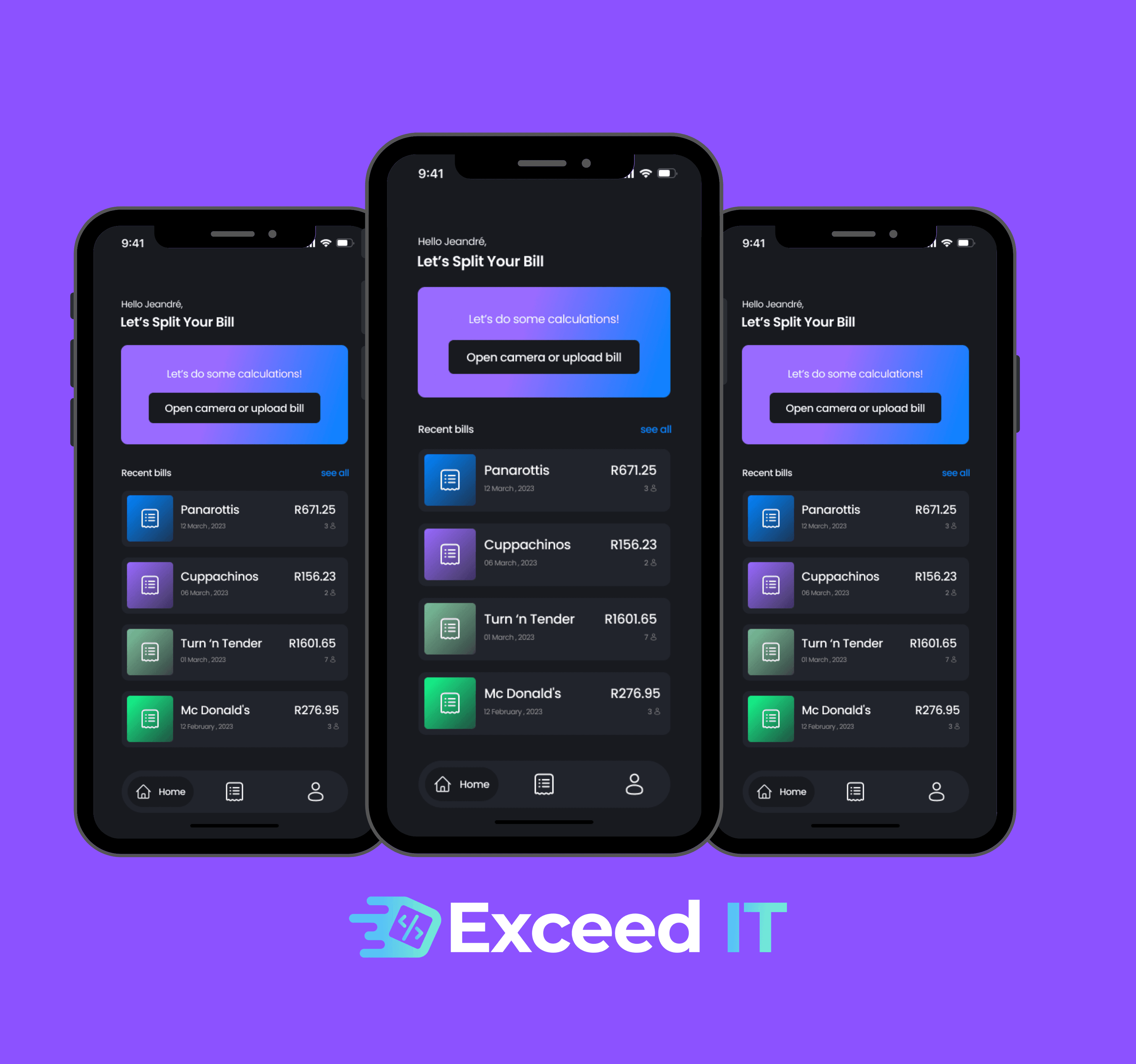
Fair Share brings receipt scanning, item assignment and sharing a bill into a mobile workflow. Its supporting custom system includes a tailored administration dashboard.
The screens shown here are from the public-facing app. They illustrate the product experience; private administration screens are not displayed.
Custom development is not always the right investment. Compare options against the same real workflow, including exceptions, data access and ongoing operation.
Choosing an approach for your business software
Approach
Best fit
What to check
Buy or configure
An existing product handles your essential work.
Workflow fit, subscriptions, configuration, exports and vendor limitations.
Integrate
Your tools work, but people repeatedly move information between them.
API access, record ownership, error handling and ongoing integration maintenance.
Build custom software
A valuable process or customer service needs capabilities that existing tools cannot provide well.
Delivery effort, source and data access, operating responsibilities and future changes.
CRM, job management, stock, documents and reporting features
Data migration planning and integration with existing systems
User acceptance testing, onboarding and ongoing improvements
A CRM can organise enquiries and customer history. A job system can connect allocation, completion records and approvals. An admin dashboard can give each role the information and actions needed to run your product. Features and integrations are agreed after discovery.
Bring customer conversations into the same system with custom WhatsApp business automation. Capture enquiries, request bookings and send order or invoice updates through workflows connected to your business software. Explore mini examples and the separate setup, running and messaging costs.
We document your current process, identify the information each role needs and design the simplest useful first release. Existing data is reviewed before migration. Permissions, audit trails, exports and exception handling are part of the scope, so your team can trust the system during everyday work.
Discovery and scope
Map a real workflow, users, exceptions and existing systems. The output is a prioritised first release, assumptions and the dependencies to investigate before committing to delivery.
Workflow and interface design
Review the screens, records and access each role needs. Your team checks normal tasks and awkward exceptions before those decisions become expensive to change.
Build and integration
Develop agreed increments and connect the required systems. Review working journeys and the handling of missing data, failed requests and changed requirements.
Testing and migration
Use representative records and business scenarios to check permissions and results. Agree acceptance criteria, data validation and a rollout plan with the people who will use the system.
Launch and handover
Prepare users, document the agreed operating tasks and confirm access to the required accounts. Establish support responsibilities and priorities for subsequent improvements.
The estimate depends on complete workflows, user roles, integrations, data quality and the testing needed to trust the result. A focused internal tool and a platform serving several customer organisations are different commitments.
Separate discovery, design, development, data migration, testing and release from recurring hosting, provider fees and support. Confirm what is included, how changes are approved and what your team needs to supply. Integration access and timely feedback can affect the schedule as much as the screens being built.
We agree scope and milestones before making a delivery commitment. Our custom software cost guide explains how estimates are assembled; its illustrative calculations are not Exceed IT rates or quotes.
Ownership, access and support after launch
Agree source-code ownership and licensing, repository and hosting access, data exports and documentation in the project agreement. Define who manages access, backups, recovery and software updates. These are practical operating responsibilities, not details to leave until handover.
Plan permissions around user roles and test them using representative scenarios. Agree the support hours, incident process, maintenance scope and how future changes are commissioned. The controls and service commitments depend on the requirements agreed for your system.
It is the design and build of software around a company's workflows, users and data. A custom system can replace manual processes, connect existing tools or support a new digital service. It makes sense when a valuable requirement cannot be met well through existing products, configuration or integration.
Can you replace our Excel spreadsheets?
Yes. We review the formulas, business rules and data first, then migrate an agreed workflow in stages so your team can validate the results.
Is custom software always the best choice?
No. If an existing product fits your workflow and budget, configuring or integrating it may be the better route. Custom development is most useful when the gaps are material.
How much does custom business software cost?
Cost depends on the workflows, user roles, integrations, existing data and testing required. An estimate should separate discovery, design, development, migration and release from ongoing hosting and support. We scope a useful first release before quoting; a dashboard, internal operations system and customer platform are different commitments.
How long does a custom software project take?
There is no reliable timeline without an agreed scope. Integration access, data quality, the number of workflows and the time available for your team's feedback all affect delivery. We define milestones after discovery and plan user testing and migration before rollout.
Can you build an admin dashboard for our system?
Yes. Eyam, Answers at Apaiva and Fair Share each include a custom-built system with a tailored administration dashboard developed by Exceed IT. Client dashboards remain private. Our separate example dashboard is a demonstration; contact us to arrange a walkthrough of the approach.
Can the software connect to our existing systems?
Yes, where suitable APIs, exports or other supported integration methods are available. We check access, record ownership, data quality and failure handling before defining the work. You may be able to retain a useful accounting or CRM product and build the workflow around it.
Who owns the source code and business data?
Source-code ownership, licensing, repository access, data exports and hosting accounts should be explicit in your project agreement. We agree these responsibilities before development and include the documentation and access needed for the agreed handover.
What happens after the software launches?
We agree onboarding, hosting responsibilities, maintenance and support as part of the project scope. Confirm the support hours, incident reporting, backups, update responsibilities and how future changes are priced. A new feature and a production incident need different expectations.
Bring your workflow. We’ll help define the next step.
For a useful first conversation, share:
The process you want to improve and the outcome that matters
The people, roles and approvals involved
Existing tools, required integrations and sample data with sensitive details removed
Your budget constraints, timing and essential first-release requirements
We’ll discuss whether configuration, integration or a custom build is the right starting point and what needs further investigation before an estimate.